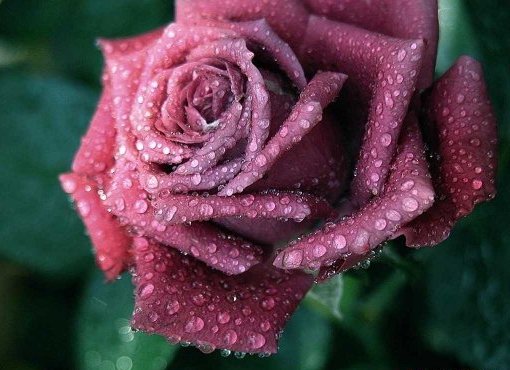
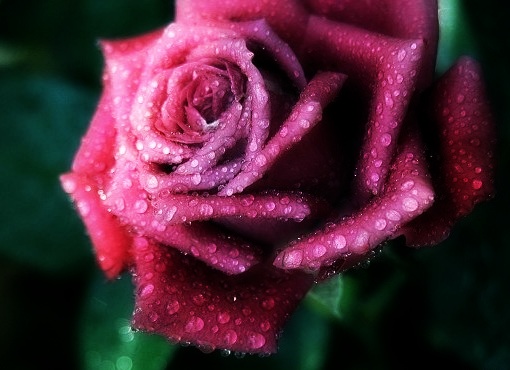
Glow
Applies glow effect to the initial image
- int glow(cv::InputArray src, cv::OutputArray dst, int radius=0, float intensity=0.0f)
Parameters: - src – RGB image.
- dst – Destination image of the same size and the same type as src.
- radius – Radius of box filter kernel, must be positive integer number
- intensity – Effect intensity, must be real number from 0.0 to 1.0
Returns: Error code.
The algorithm.
Create the copy of the source image
Apply box filter for this copy with deviation equal sigma
Create new 3-channel image, each channel of the matrix calculates by the following formula:
\[\begin{split}C = \begin{cases} 2 * A * B, & \text{if $B <= 0.5$}\\ 1 - 2 * (1 - A) * (1 - B), & \text{otherwise} \end{cases}\end{split}\]where \(A\) is the pixel’s tonal value that lies in the blurred image, \(B\) is the pixel’s tonal value that lies in the source image, \(C\) is the tonal value of the blended pixel.
Create new 3-channel image, each channel of the matrix calculates by the following formula:
\[C = intensity * A + (1 - intensity) * B\]where \(A\) is the pixel’s tonal value that lies in the previous blended image, \(B\) is the pixel’s tonal value that lies in the source image, \(C\) is the tonal value of the blended pixel.
Save previous image as RGB image
Example.